
Website Migration SEO Checklist: Redesign or Replatform Without Losing Rankings

A phase-by-phase checklist for moving a business website, built on Google Search Central's published guidance and independent web measurement.
Executive Summary
Website migration SEO is the work of moving a site to a new design, platform, domain or URL structure while keeping the search visibility the old site earned. The short answer to "how do you avoid losing rankings?" is to map every important old URL to its new home, redirect each one permanently, and verify the result in Search Console before and after launch.
Google's site-move guidance points to a few avoidable gaps behind ranking losses after a redesign: URLs that changed without redirects, crawl blocks left over from development, and redirects that point to the wrong place. This paper sorts migrations into three types, explains why rankings move at all, and gives a checklist for each phase. Every recommendation rests on Google's own documentation; where Google gives a timeframe, the paper quotes it, and where it does not, the paper does not invent one.
Scope and Method
The paper is written for owners of small and medium business websites, typically a few dozen to a few hundred pages, who are planning a redesign, a move to a new platform or a domain change. Very large sites face extra problems, such as moving in sections, that are mentioned but not covered in depth.
Sources are eight Google Search Central and Search Console Help documents, fetched and read on 2026-11-22: site moves with URL changes (updated 2026-08-20), changing hosting without URL changes, redirects (updated 2026-11-16), canonical URLs, sitemaps, the Change of Address tool, the ranking systems guide and Google's advice on hiring an SEO. Context figures come from three independent studies: two chapters of HTTP Archive's 2025 Web Almanac (SEO and performance, based on a July 2025 crawl of several million sites) and Pew Research Center's 2024 study of link rot. No vendor tools or agency guides are cited. Google's guidance is general; individual sites can behave differently, and no outcome is promised here.
1. What Counts as a Website Migration
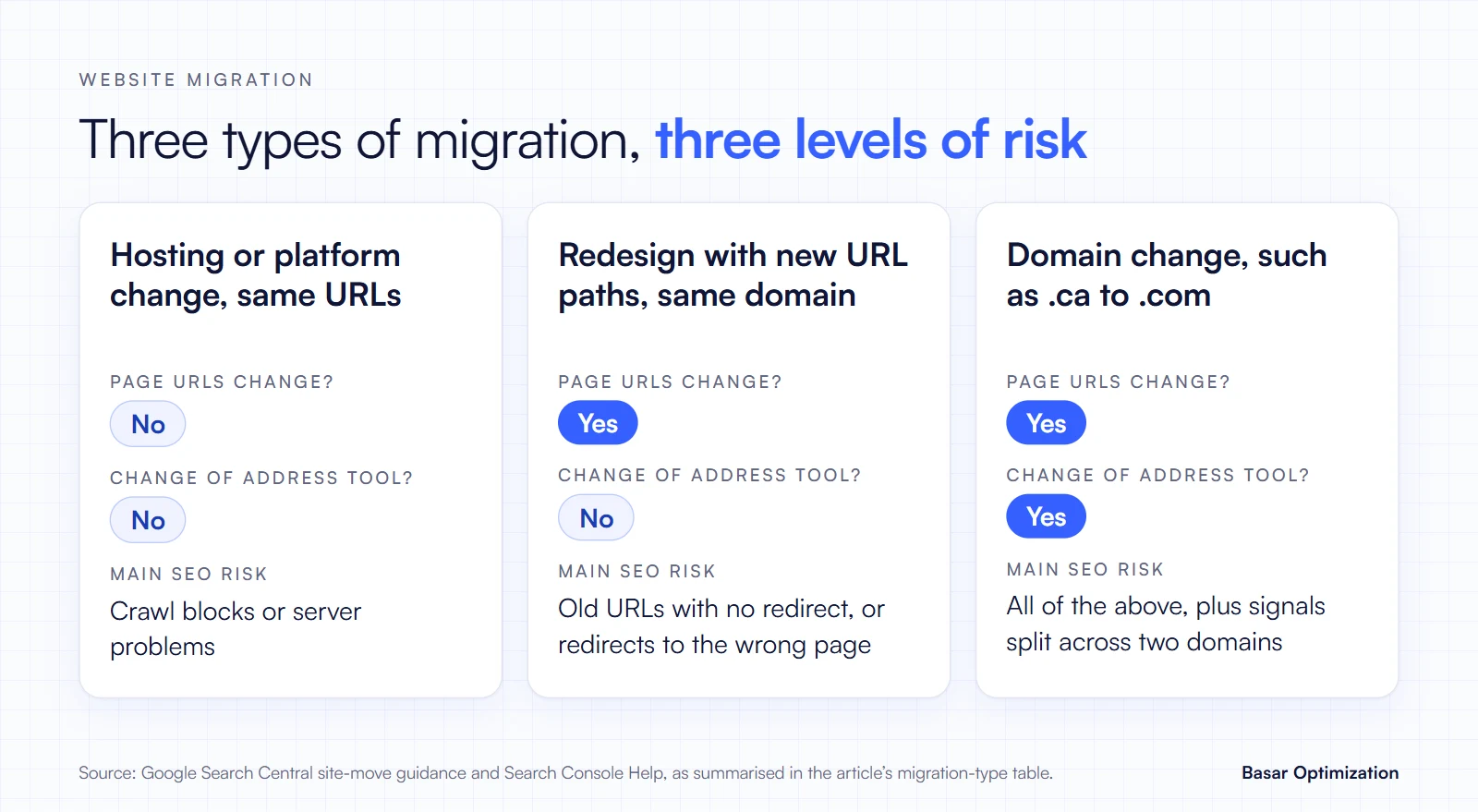
A website migration, which Google calls a site move, is any change that alters where or how a site's pages are served to search engines. The term covers three quite different projects, and the checklist that applies depends on which one you are running.
| Migration type | Do page URLs change? | Change of Address tool? | Main SEO risk |
|---|---|---|---|
| Hosting or platform change, same URLs | No | No | Crawl blocks or server problems on the new setup |
| Redesign or replatform with new URL paths, same domain | Yes | No | Old URLs with no redirect, or redirects to the wrong page |
| Domain change (for example .ca to .com, or a rebrand) | Yes | Yes, for every verified variant of the old domain | All of the above, plus signals split across two domains |
The first row is the lightest. Google's hosting guide treats a move with no visible URL changes as an infrastructure project: copy the site, test it, point the DNS (the system that tells browsers which server hosts your domain) at the new servers, and watch traffic as it shifts (Google Search Central, changing your hosting). The guide also suggests lowering the DNS records' time-to-live setting at least a week before the switch so the change spreads faster.
The second and third rows are where rankings are most often lost, because every changed URL has to be found again by Google and connected to its predecessor. The Change of Address tool applies only to the third row; Google states it is not needed when only the paths change inside one domain, nor for HTTP to HTTPS or www to non-www changes (Search Console Help, Change of Address tool).
2. Why Rankings Move During a Migration
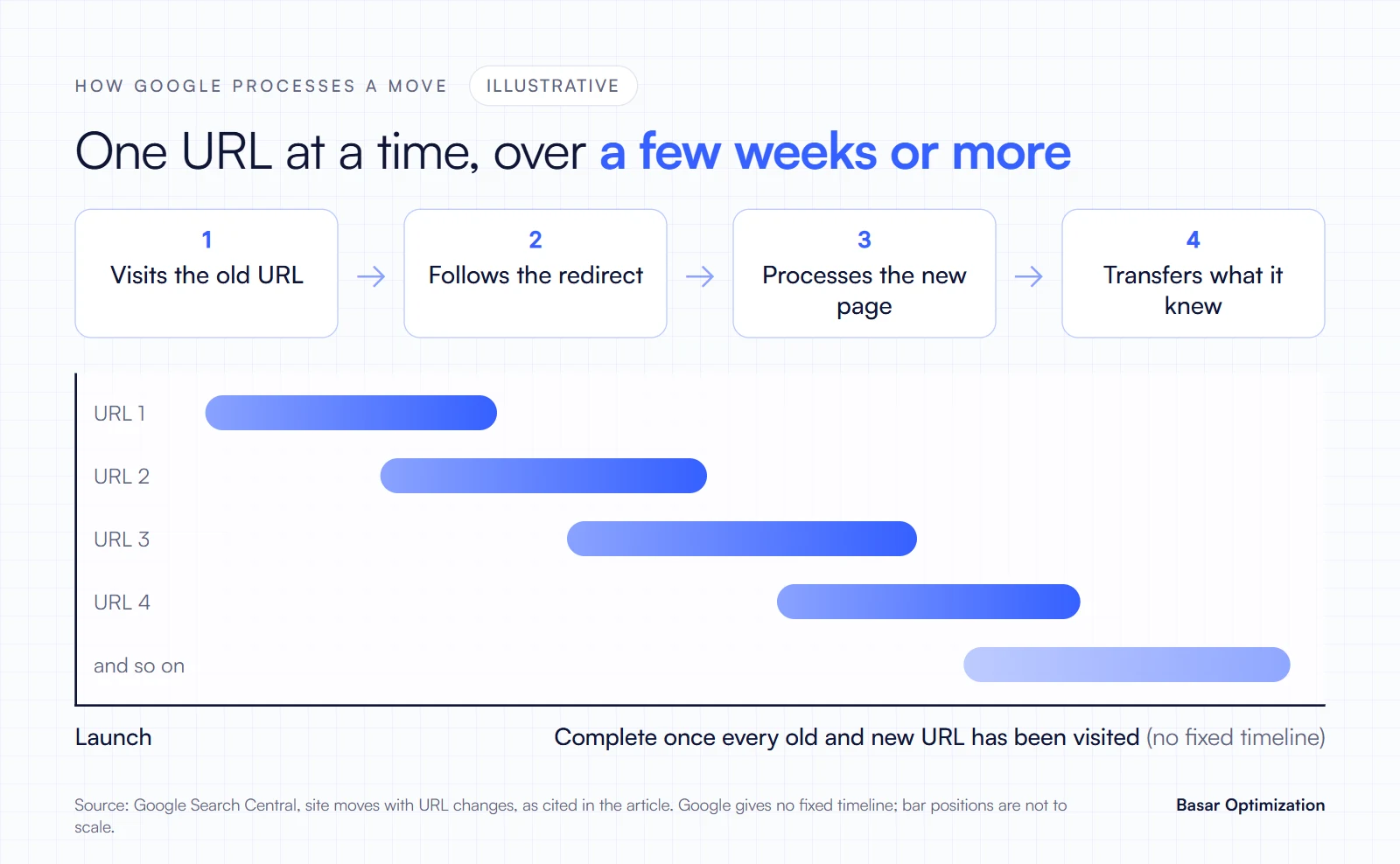
Google's ranking systems work mainly at the level of individual pages (Google Search Central, ranking systems guide). When a page's address changes, Google has to crawl the old address, follow the redirect, process the new page and transfer what it knew about the old one. Google describes the move as happening one URL at a time and says a move is complete only once Googlebot has visited every old and new URL at least once (Google Search Central, site moves with URL changes).
Google is explicit that temporary ranking fluctuation is normal during that reprocessing. Its rule of thumb is that a medium-sized site can need a few weeks or more before Google gradually starts showing the new URLs in place of the old ones, with larger sites taking longer; the pace depends mostly on how many URLs moved and how quickly the server answers.
Two further points from Google shape the checklist. First, 301 redirects (server responses telling browsers and search engines that a page has moved permanently) and other permanent redirects do not cause a loss of PageRank, Google's long-standing measure of link value, so a correctly redirected page does not lose link credit by moving. Second, Google's Change of Address help warns that combining a site move with a redesign of both content and URL structure will probably cost some traffic, because Google may have to re-evaluate each page. The site-move guide recommends changing one thing at a time where practical, for example moving the domain first and changing the layout afterwards.
The practical reading is that a redesign is safest when the parts search engines rely on, namely URLs, page content, titles and internal links, change as little as the business goals allow. Every change you do make should be deliberate and recorded.
3. Phase One: The Pre-Launch SEO Migration Checklist
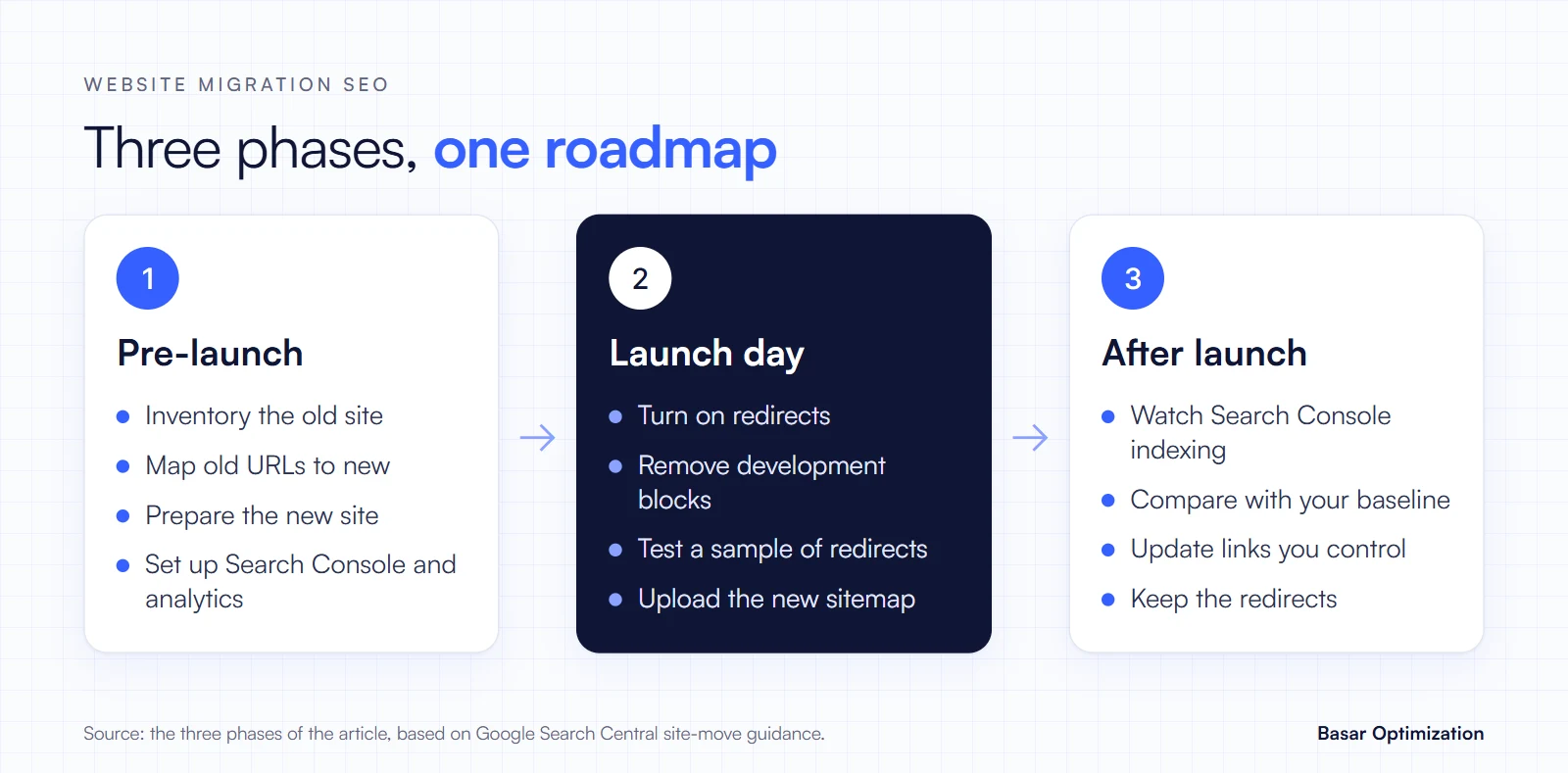
Almost all of the protective work happens before launch. Use this phase as your SEO migration checklist for the weeks leading up to the switch.
Build an inventory of the old site
- List every URL that matters. Google suggests starting from your sitemaps, the pages with the most traffic in your analytics or server logs, and the pages with internal and external links shown in Search Console's Links report.
- Include the files, not only the pages. Images, PDFs, videos, scripts and stylesheets also have addresses. Images and documents may already earn search traffic or links, so they need new homes too.
- Export Search Console data before anything changes. A record of the queries, clicks and impressions for each page gives you a baseline to compare against after launch.
Map old URLs to new URLs
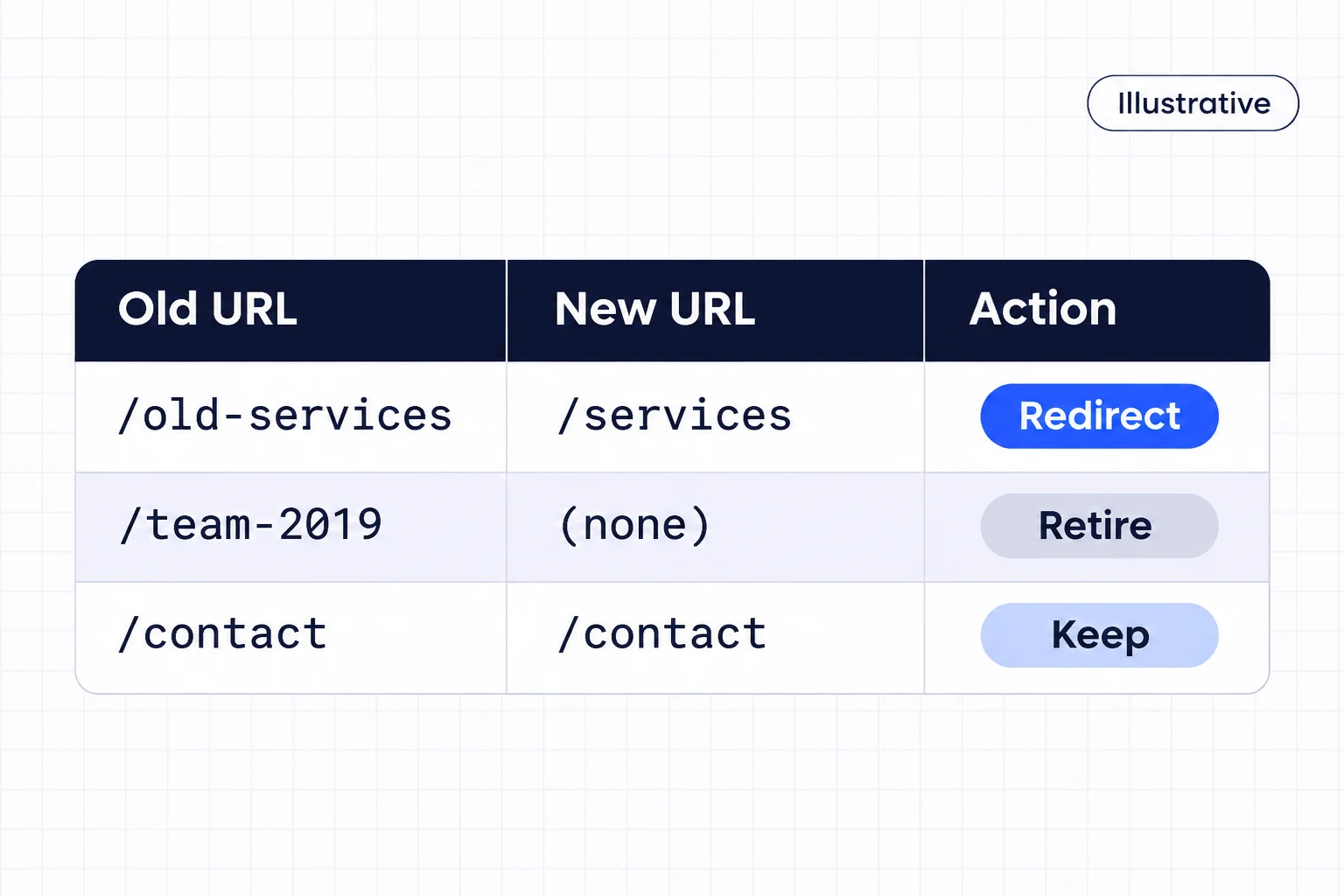
- Give every important old URL one destination. Ideally the destination is the page that serves the same purpose on the new site. Store the map in a spreadsheet the developer can work from. Unredirected addresses become dead links on other people's pages, a common problem: Pew Research Center found that 23% of news pages and 21% of U.S. government pages it examined in spring 2023 had at least one broken link, and that a quarter of the pages that existed at some point between 2013 and 2023 were no longer accessible by October 2023 (Pew Research Center, 2024).
- Decide what is retired. Content you are not carrying over should return a 404 or 410 status code, meaning "not found" or "gone", rather than redirecting somewhere unrelated.
- Avoid sending many old URLs to the homepage. Google warns this can confuse users and may be classed as a soft 404, a page that looks like an error to Google even though the server reports success. Merged content is the exception: if several old pages were combined into one new page, redirecting them all to it is fine.
Prepare the new site
- Keep page-level signals intact. Carry over titles, headings and main content for pages that rank, unless you are deliberately improving them. Update internal links to point straight at the new URLs rather than relying on redirects.
- Set self-referencing canonical tags. A canonical tag is a line of code naming the preferred address for a page. Each new page should name itself. The tag is common but not universal: HTTP Archive's 2025 Web Almanac found one on 68% of desktop and 67% of mobile pages (Web Almanac 2025, SEO). Google ranks redirects and canonical tags as strong signals and sitemap inclusion as a weak one, and says the signals reinforce each other when combined (Google Search Central, canonical URLs).
- Build a new XML sitemap. A sitemap is a file listing the URLs you want search engines to find. Google notes that a well-linked site of about 500 pages or fewer may not strictly need one (Google Search Central, sitemaps overview), but during a migration it is a useful way to announce the new addresses.
- Plan the robots.txt file and noindex rules for launch. Robots.txt is the file that tells crawlers which parts of a site they may visit, and noindex is an instruction that keeps a page out of search results. Many teams block a staging site with both. Write down exactly what must be removed on launch day.
Prepare Search Console and analytics
- Verify the new site in Search Console, including every variant (www and non-www, HTTPS and HTTP) if the domain is changing, and confirm that the verification method will survive the move.
- Copy over settings, such as a disavow file if one exists, to the new property.
- Check that analytics tracking is present in the new templates, so the before and after comparison is possible.
- Plan for heavier crawling. Google warns that it will temporarily crawl a migrated site more than usual, so the new hosting should have capacity to spare.
4. Phase Two: Launch Day
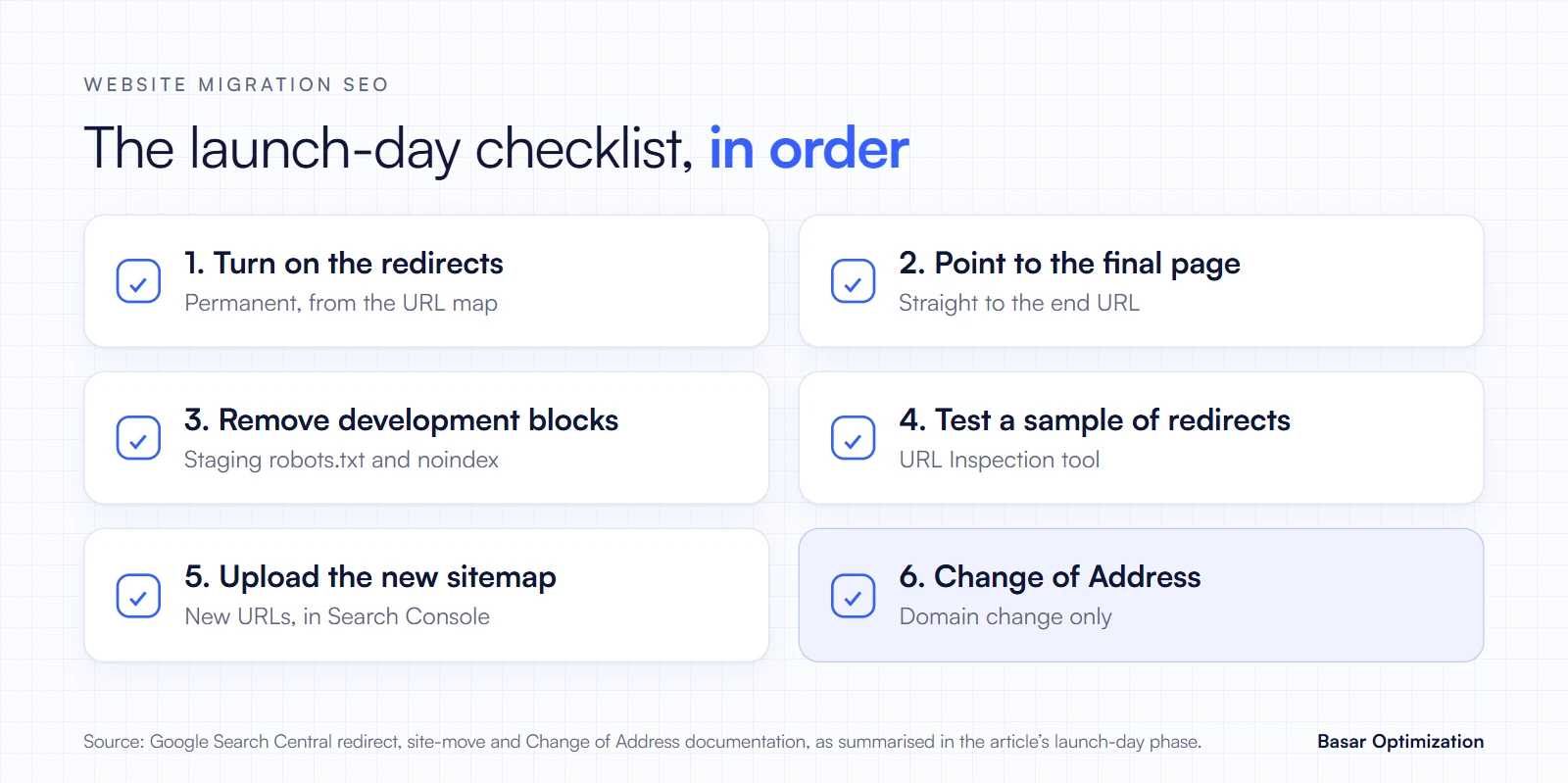
On launch day, work through the steps in order and tick each one off.
- Turn on the redirects from the URL map. Use server-side permanent redirects (HTTP 301 or 308) wherever the platform allows. Google's redirect documentation lists meta refresh and JavaScript redirects as fallbacks only when server-side redirects are not possible (Google Search Central, redirects and Google Search).
- Point each redirect at its final destination. Google can follow several hops in a chain, but it recommends redirecting straight to the end URL; where a chain cannot be avoided, it asks for as few hops as possible, ideally no more than three.
- Remove the development blocks. Delete staging-only robots.txt rules and noindex tags, and confirm the canonical tags carry the new URLs.
- Test a sample of redirects. Use the URL Inspection tool in Search Console for individual pages, and a script or crawler for the full list.
- Upload the sitemap of new URLs to Search Console.
- For a domain change only, submit a Change of Address from the old property, covering every verified variant of the old domain.
5. Phase Three: The First Weeks After Launch
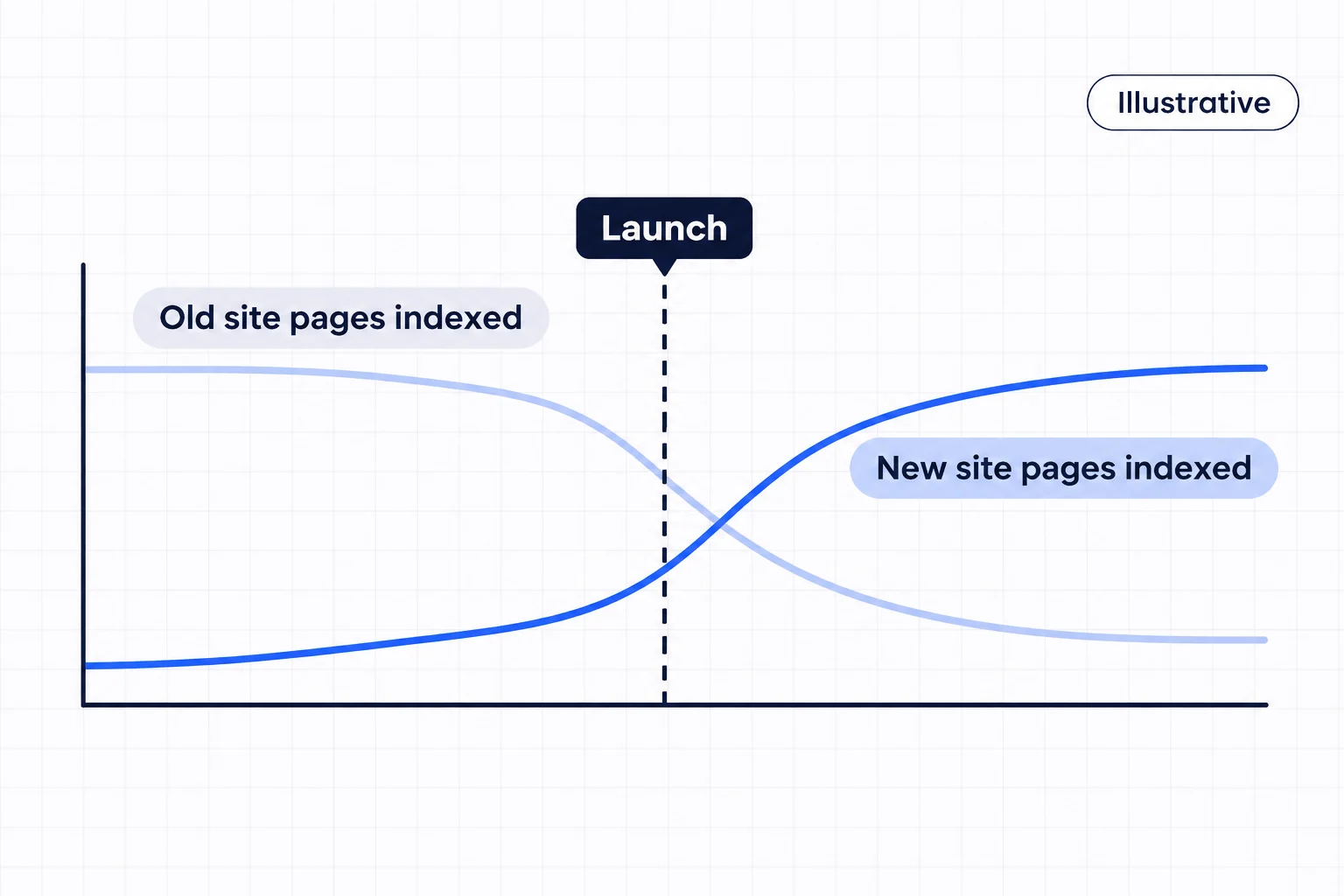
After launch the job shifts from building to watching. Google's site-move guide describes what a healthy migration looks like in Search Console: the sitemap of new URLs starts with few indexed pages and climbs, the old sitemap's indexed count falls toward zero, and the Performance report gradually shows impressions and clicks moving to the new URLs. Warnings in Search Console that the old sitemap contains redirecting URLs are expected during a move and can be ignored.
- Check Search Console's indexing report regularly (Google's guide calls it the Index Coverage report) for a jump in "Not found" or other crawl errors, which usually points to a wrong redirect.
- Compare page-level performance with your baseline. A page that lost most of its impressions while its neighbours held steady is a candidate for a redirect or content check.
- Update the links you control. Business listings, email signatures, ad campaigns and directory profiles should point at the new URLs. For important external links, ask the linking site to update the address.
- Keep the redirects. Google's advice is to leave them running as long as you can, with one year as the usual minimum, so signals can transfer fully. For users, it suggests keeping them indefinitely where practical.
- Keep the old domain registered after a domain change. Google's Change of Address guidance recommends continuing to pay for it for at least a year so no one else can buy it and use it.
If the redesign changed templates, check loading speed and layout stability on the new pages as well; that is a separate review from indexing, but it belongs on the same post-launch list. In the 2025 Web Almanac, only 48% of mobile websites and 56% of desktop websites met the "good" thresholds for all Core Web Vitals, Google's loading, responsiveness and layout-stability measures (Web Almanac 2025, performance).
6. Common Website Redesign SEO Mistakes
The mistakes below come from Google's own troubleshooting list for site moves and from the requirements set out in its other documents.
| Mistake | What you see | Fix |
|---|---|---|
| Staging noindex or robots.txt block left live | New pages missing from Google; URL Inspection reports the block | Remove the block; request reindexing of key pages |
| Redirects pointing to non-existent URLs | Rising "Not found" errors after launch | Correct the map; redirect to the right live page |
| All old URLs redirected to the homepage | Old pages treated as soft 404s; deep pages lose visibility | Redirect each URL to its true equivalent, or return 404/410 |
| Redirect chains from earlier redesigns | Slow redirects; signals passing through several hops | Point every old URL directly at the final destination |
| Sitemap still listing old URLs | New pages discovered slowly | Publish and submit a sitemap of new URLs only |
| Internal links still using old addresses | Extra redirect hops on every click | Update links in templates and content to the new URLs |
| Content, URLs and domain all changed at once | Larger and longer fluctuation | Stage changes where possible; record each one with its date |
None of these mistakes requires advanced tools to catch. Each is visible in Search Console or with a careful read of the URL map, which is why the pre-launch inventory matters more than any post-launch fix.
What This Means for Your Business
For an owner planning a new website, the evidence points to three decisions that matter more than the design itself.
- Decide early whether URLs will change. Keeping the same URLs turns a risky migration into a much simpler hosting change. If they must change, budget time for the URL map.
- Make the URL map a project deliverable. Ask whoever builds the site to deliver the map, the redirect list and a launch-day checklist, and keep copies.
- Own the measurement. Make sure you, not only your developer, have access to Search Console and a pre-launch export, so you can judge the result yourself.
Google's own advice on hiring an SEO singles out a site redesign as a good moment to bring one in, and the earlier the better, so the new site is built to be search-friendly from the start (Google Search Central, "Do you need an SEO?"). That is the role website redesign and development and ongoing search engine optimization play together, and for local businesses it extends to keeping local SEO listings pointing at the right pages. If a redesign is on your calendar, you can request a quote and we will review your URL map and redirect plan before the switch.
Conclusion
A website migration does not have to cost the visibility a business spent years earning. Google's documentation is consistent on what protects it: an inventory of old URLs, a one-to-one map, permanent server-side redirects straight to the final page, clean robots and canonical settings, a fresh sitemap and patient monitoring in Search Console.
Some fluctuation is normal while Google reprocesses each URL, and Google itself says that combining a site move with a redesign of content and URLs will probably cost some traffic. What separates a temporary dip from a lasting loss is usually the quality of the preparation. Treat the checklist above as the minimum standard for any redesign, and ask for the evidence that each step was done.
Frequently Asked Questions
Will a website redesign hurt my SEO?
It can, but it does not have to. Common causes are changed URLs without redirects, redirects to the wrong pages and crawl blocks left from development. If you keep URLs where possible, redirect every changed URL to its true equivalent and verify the launch in Search Console, a redesign can keep its visibility. Google notes that rankings may fluctuate for a while during reprocessing.
How long should 301 redirects stay in place?
Google's advice is to leave redirects in place as long as you can, and for a year at minimum in most cases, so it can recrawl old URLs and transfer their signals to the new ones. For visitors, Google suggests keeping them indefinitely where practical. Even so, update your own internal links and important external links to point straight at the new URLs, because every redirect adds a little delay.
Do I need the Change of Address tool for a redesign?
Only if the domain changes, for example a move to a new domain name. Google says the tool is not needed when you change URL paths within the same domain, switch from HTTP to HTTPS, or move between www and non-www versions. For those projects, permanent redirects, updated canonical tags and a new sitemap are the right signals.
How long does it take Google to process a site migration?
Google gives no fixed timeline. Its rule of thumb is that a small or medium-sized site usually needs a few weeks before most of its pages have moved, while bigger sites need more time. Speed depends mainly on how many URLs changed and how quickly your server responds. Submitting a new sitemap helps Google discover the new addresses sooner.
Should I redirect deleted pages to the homepage?
Generally no. Google warns that redirecting many old URLs to one unrelated page, such as the homepage, can confuse visitors and may be classed as a soft 404. Redirect each old page to the closest equivalent on the new site. If no equivalent exists, let the old URL return a 404 or 410 status. Merged content can redirect to the combined page.